Features
Your Instagram. All of it. In one app.
Ideas, posts, messages and numbers: everything you need to manage your Instagram like a pro, without becoming one.
 iOS and Android app · cancel anytime
01AI creation
The AI suggests. You take the photo. The post is ready.
KommIA starts from your “My brand & AI” profile: your line of work, the way you talk, your offer, your customers. Its ideas sound like you, nothing generic.
One idea suggested by KommIA earned Gaby, a tattoo artist, almost 5 times more views than usual: 24,000 versus 5,000 on average. See her story
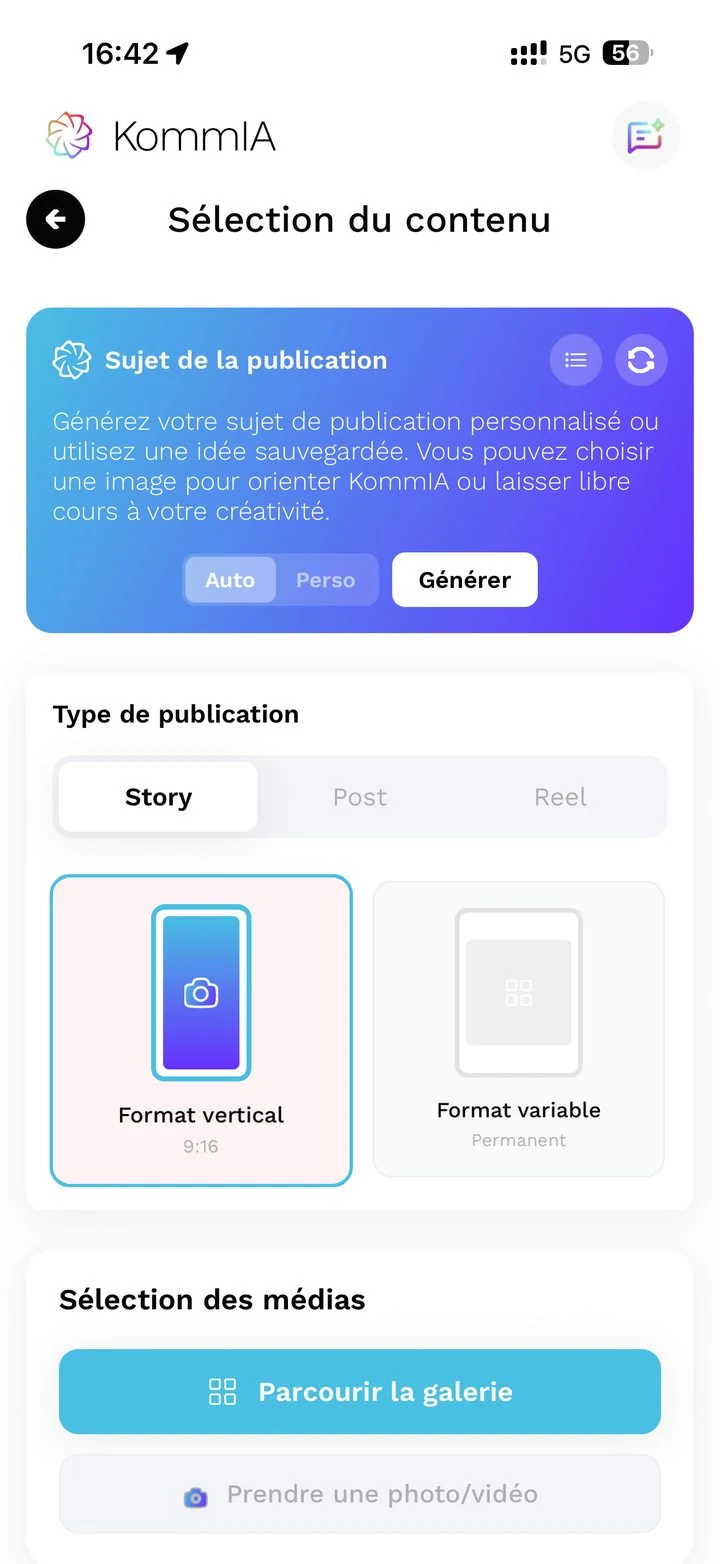
What you get for each idea:
- A content idea suited to your line of work (post, reel or story)
- A complete script: the idea, the hook and the plan, step by step
- A caption already written, suited to your line of work and the way you talk
- Hashtags suited to your line of work, ready to use
- A built-in photo editor: crop, add text or a filter, then ask the AI for the edit you want, in your own words (“make the background brighter”, “remove the background”), and compare before and after side by side
Like an idea? Keep it in “My ideas” for later. You can also edit every part before you post.
You stay in control. Suggest your own idea, ask for another version of the caption in your own words (“shorter”, “warmer”), or explain how to improve your photo.
Go further: 30 post ideas, 7 Reel formats that work and writing a caption that gets reactions.
02Scheduling & publishing
Your week in one calendar. KommIA posts on time. It's off your mind.
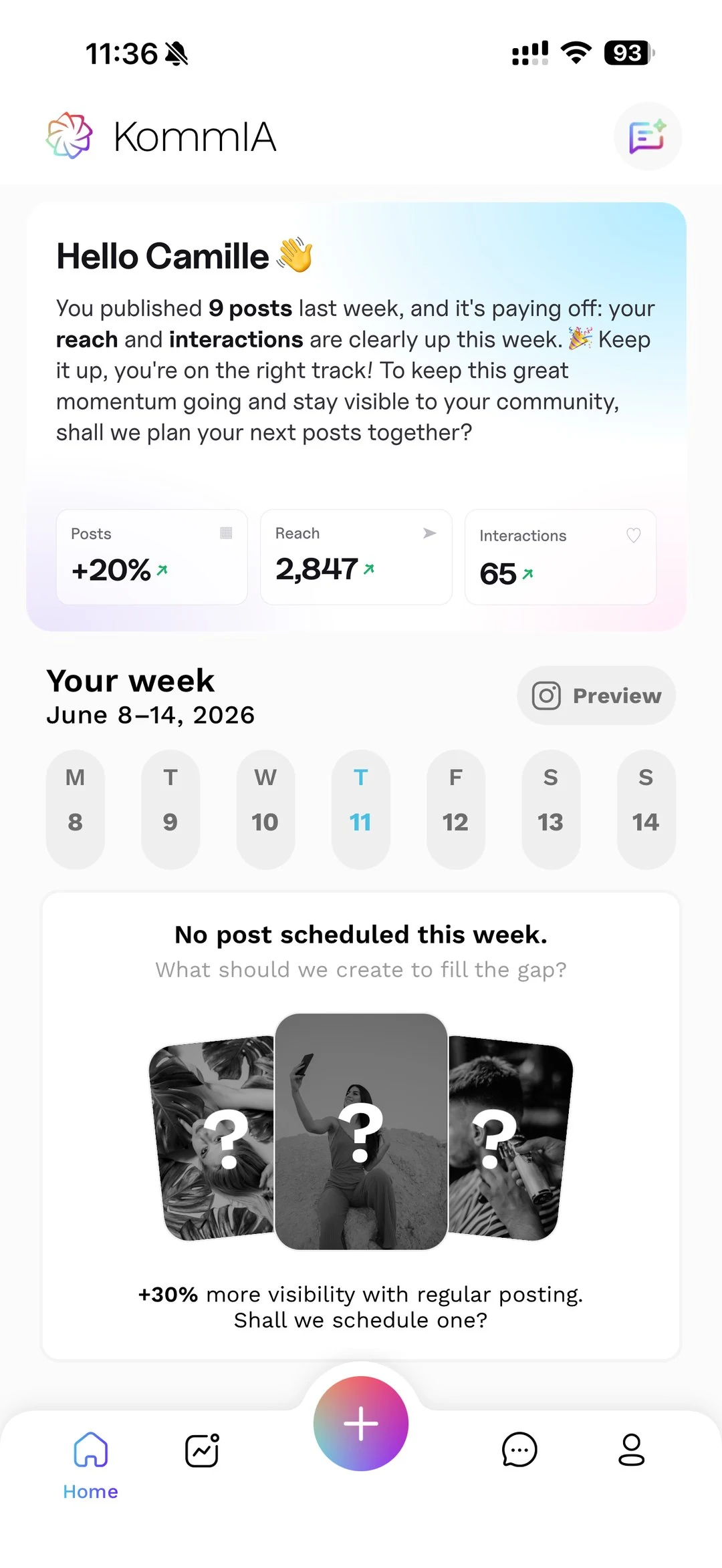
The visual calendar shows you all your posts for the week at a glance.
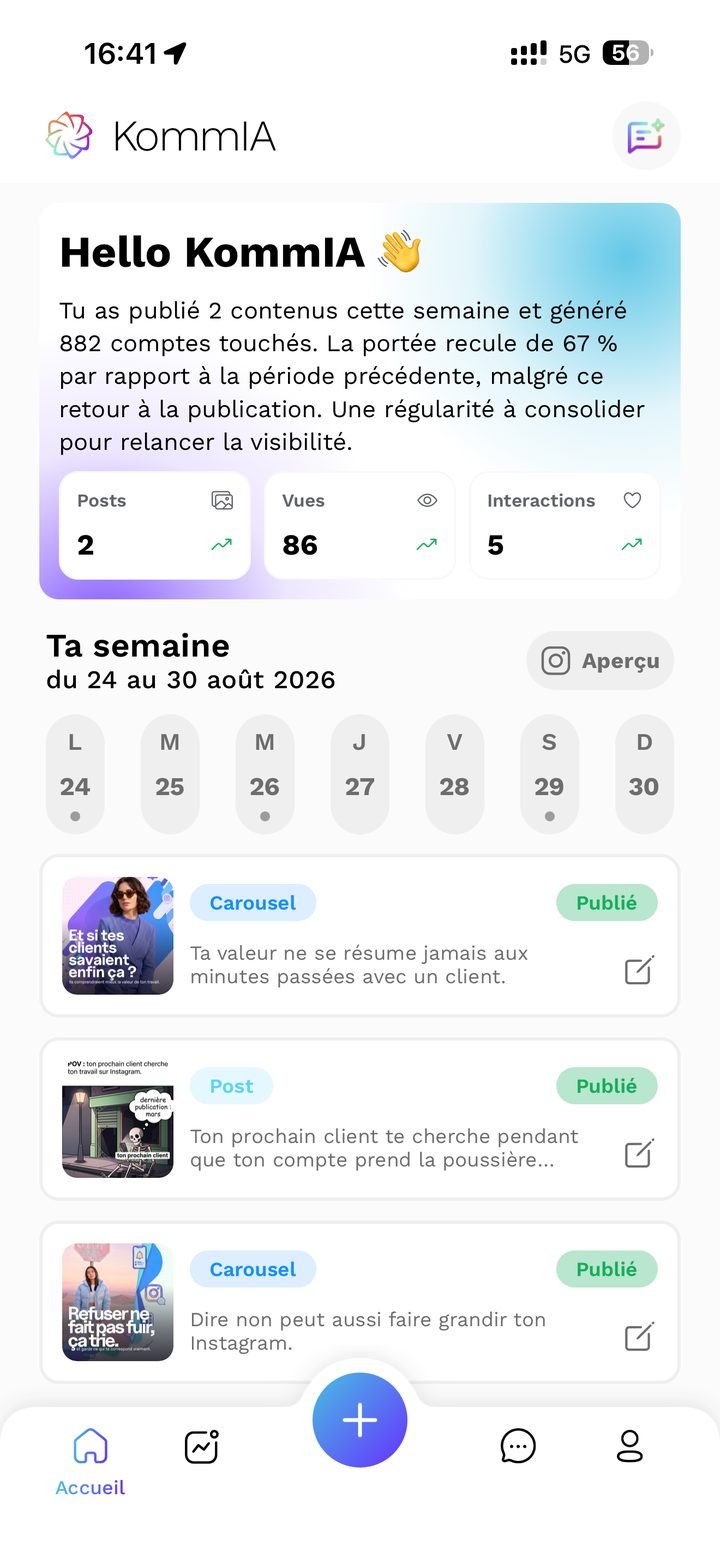
What you can do:
- Pick your day and time, or let KommIA suggest 3 time slots, each with its reason (“lunch break, a good time for replies”)
- Edit a scheduled post in 2 taps: visual, caption, date
- Post several stories in one batch: prepare your series and KommIA sends them one by one, automatically (something Instagram doesn't do natively)
- Track the status of each post with color badges: ScheduledPublishedFailedTo finish on Instagram
When the time comes, KommIA posts on its own and lets you know. You have nothing to do.
The 30-minute method. How to handle your whole week in a single session: it's all in our free guide.
Go further: planning your posts, the best time to post and how often to post each week.
Transparency bonus
“Finish on Instagram” mode
Some native Instagram features (reel music, people tags, story polls, collaborations) aren't available through the Meta API. We'd rather tell you upfront. And we guide you so it only takes 30 seconds:
- T−30
Notification: “Your post is scheduled in 30 minutes.”
- T
Notification: “It's time! Finish on Instagram.”
- 1 tap
KommIA copies your caption and hashtags to the clipboard, then opens Instagram.
- 30 s
You finish up (music, tags…) and confirm in KommIA.
- T+30
Automatic notification if you forget.
See the “Finish on Instagram” mode (in French) 1 min (YouTube video, opens in a new tab)
03Inbox
No forgotten messages. Replies that sound right.
Even with several accounts, you reply to every customer without letting anything slip.
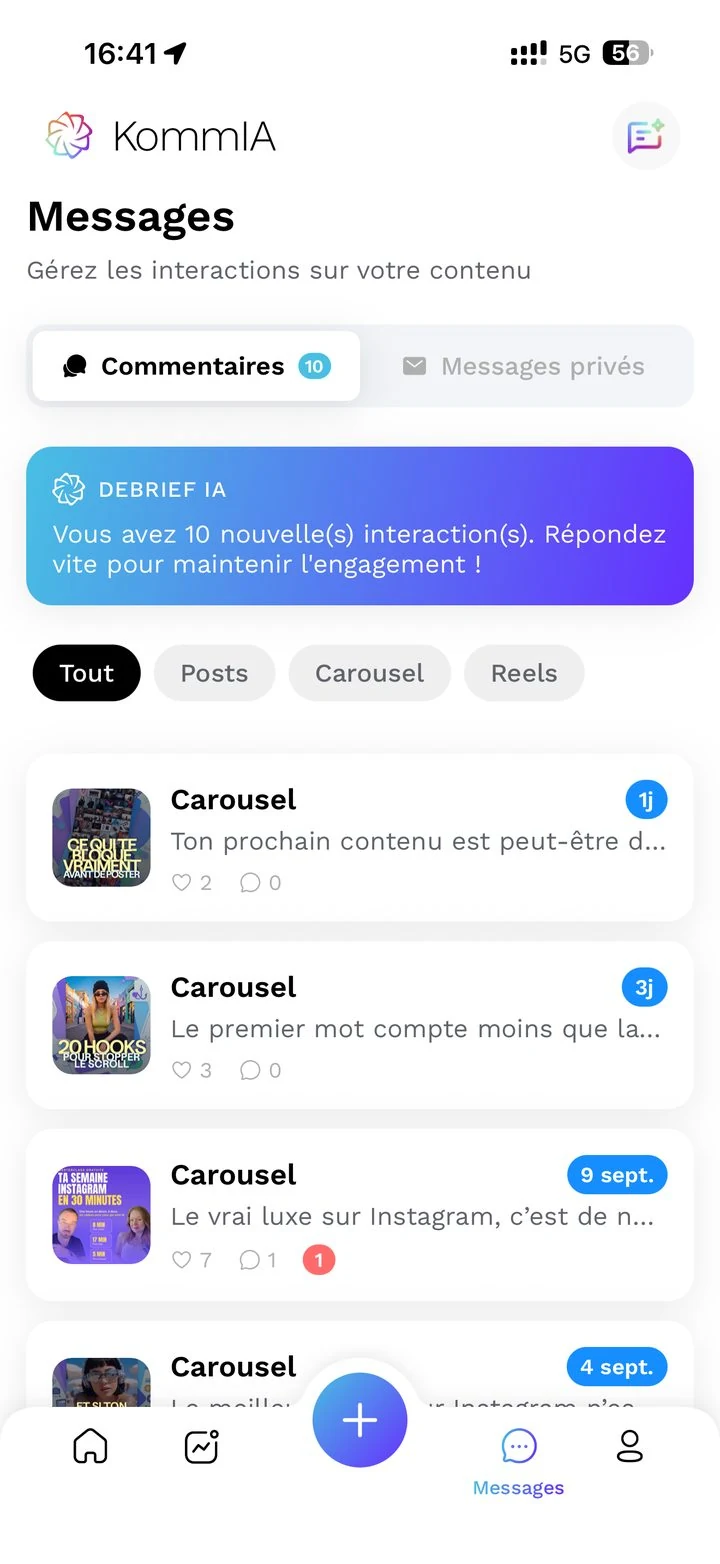
What you can do:
- See all your direct messages and all your comments in one place
- 3 suggested replies for each message, short, medium or long: you pick one, adjust it if needed, and send
- Mark a conversation “handled” or “not handled” with a swipe
- Nothing falls through the cracks: a conversation marked “handled” goes back to “not handled” as soon as your customer replies
- A customer writes to you in French? KommIA suggests a reply in French. And the same goes for every language
- An AI debrief banner that shows you at a glance what needs your attention
“Great, almost nothing to change, sometimes nothing at all. It helped me tackle topics I didn't know how to put into words.”
Go further: managing your community on your own and finding clients on Instagram.
04Insights and AI debrief
Your numbers, turned into actions.
Numbers are good. Knowing what to do with them is better. KommIA does both.
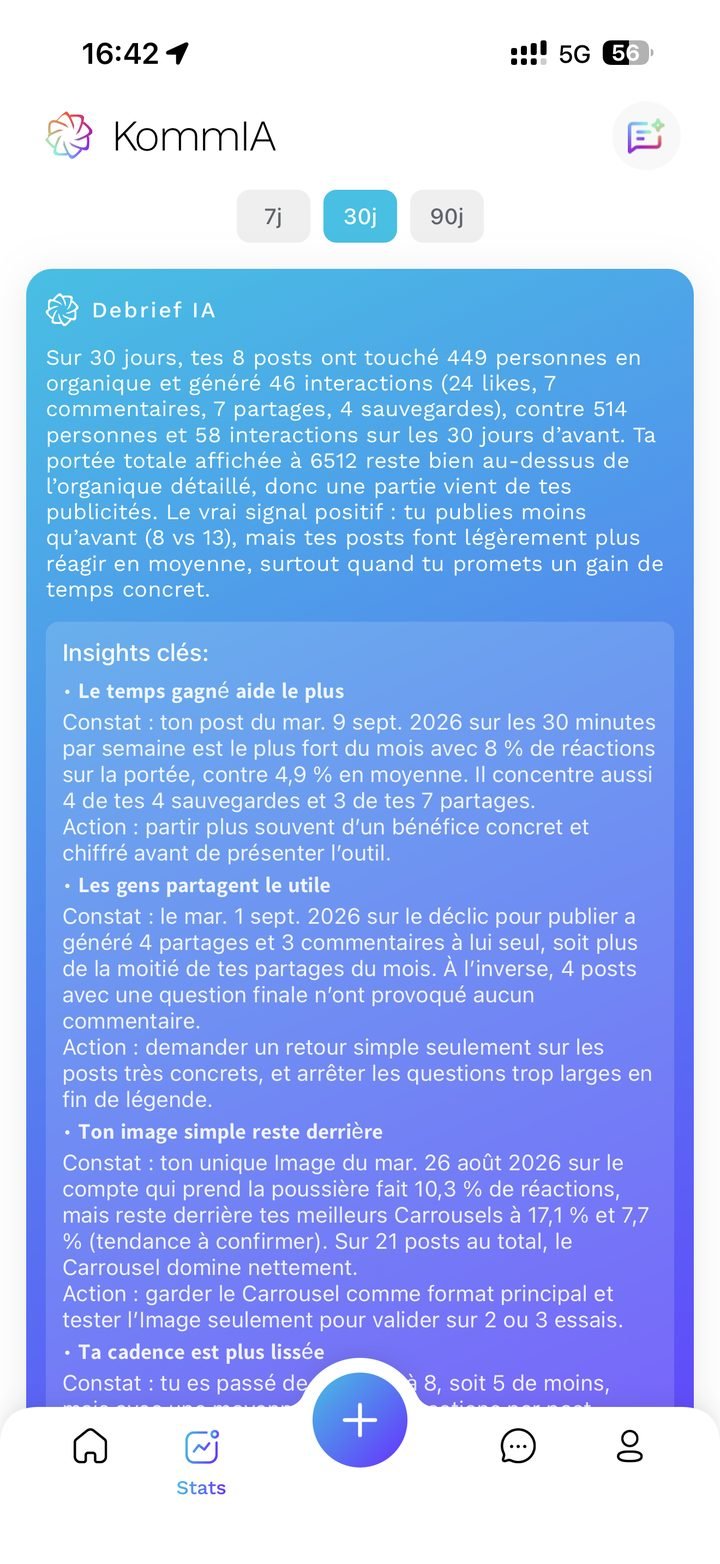
What you see:
- All your numbers: followers, reach, posts, likes, comments, shares, saves and engagement rate
- Automatic comparison with the previous period: your last 7, 30 or 90 days against the ones before
- Percentage change with a trend indicator
What the AI does for you:
- A summary of the period: what worked, and what worked less well
- Insights by theme (format, engagement, reach, call to action)
- Concrete recommendations: how often to post, which formats to favor, which time slots work
- A priority action, with its level of urgency: you know what to do this week
The analysis covers all your posts, not just the ones created with KommIA.
Go further: calculating and boosting your engagement, why your posts are no longer seen and what changed in the algorithm.
+Included bonuses
A few extras, included in your subscription.
-
You take the photos, we help you get them right: a mini course in phone photography (lighting, framing, editing) and advice sheets for 10 industries, available offline.
-
An AI agent available around the clock, and a member of the team takes over when needed.
WhatsApp: +33 7 68 48 83 16
Email: support@kommia.com -
All your Instagram profiles in one app, at no extra cost. Ideal for managing a brand, several locations, or trying out a different style of posts.
Connect an Instagram account (in French) 59 s (YouTube video, opens in a new tab)
-
Send it a photo or a question and it gives you advice: editing, staging, post ideas.
-
English and French, Spanish coming soon. The generated content follows the app's language.










All this for €39.90 excl. VAT per month?
Yes, on the annual plan. Or €49.90 excl. VAT per month with no commitment. A freelance community manager costs €400 to €1,200 excl. VAT per month. You decide.
We'll give you a free 20-minute onboarding video call (in French) to plan your first week.
Not ready yet? Book a 20-minute demo (in French).