Hello. You take your photos on your phone, between two clients or at the end of a job, in bad light, with a background that leaves a lot to be desired. The photo exists, but it does not really make people want to stop scrolling. AI photo editing was built exactly for that situation. It corrects what you did not have time to fix, without you needing to learn Photoshop or spend an hour on a complicated app. Here is how to go about it, which tool to pick depending on what you do, and what you need to know about the rules so there are no unpleasant surprises.
What AI retouching actually does (and what it does not)
A classic filter applies the same effect across the whole image. AI analyses the content of the photo instead: it spots the area that is too dark, the strange colour cast, the cluttered background. It corrects the light, improves sharpness, rebalances colours and can erase a distracting element in the background, like a bin or a stray cable. The photo improves without becoming artificial, as long as you keep the adjustments reasonable.
What it will not do for you is take the photo. The framing, the angle, the way you present your product or your work, that is still on you. AI improves what already exists; it does not build a good photo out of nothing.
Which tool fits your trade?
You do not need complex software. For a freelancer or small business, everyday needs usually come down to three or four actions: fixing light, cleaning the background, quick removal of unwanted elements, and smart cropping. Here is a straightforward way to think about the choice.
- You cook, cater or run a restaurant. Your dish photos often suffer from yellow light or a visible kitchen background. Photoroom and Canva (free version with built-in AI) let you replace the background in one tap and correct colour balance. Photoroom is particularly good at isolating a dish on a neutral or coloured background.
- You are a builder, electrician or plumber. Your before-and-after job photos often have problems with indoor light or perspective. Snapseed (free, by Google) and the automatic correction in Google Photos handle these cases well. The goal is simple: make the renovated room clear, sharp and bright.
- You run a shop or sell products. Automatic background removal is your best ally. Remove.bg is a reliable free option for this. Photoroom also offers this feature with clean results on straightforward objects.
- You are a therapist, coach or consultant. Your profile and office photos matter most. A light correction and a slight crop are usually enough. The automatic correction in Google Photos or Apple Photos does a lot of the work without opening another app.
For more advanced work (complex compositions, fine texture retouching), Luminar Neo or Adobe Lightroom Mobile step things up, but with a slightly steeper learning curve and a subscription to budget for.
The Instagram rules you need to know
Good news first: Instagram does not require any label when a real person uses AI to retouch a photo. Correcting light, removing a background element, improving sharpness, none of that triggers any disclosure obligation on your part. The AI-generated profile label only applies to accounts that feature a person substantially created by AI, not to you retouching a photo of your shopfront.
A second point worth knowing: Instagram predicts what each person will do with a post, reading reactions as rates per person reached. Sends to direct messages weigh heavily with non-followers, while likes count mostly with your existing followers. A polished, share-worthy photo therefore has a direct impact on your reach. That is a concrete reason to take two minutes on retouching. Also worth keeping in mind: an account whose posts are mostly unoriginal is no longer recommended to non-followers. This is not about retouching, but it confirms that your content must stay yours: your photo, your work, your point of view.
One more thing: posts from public professional accounts can appear in Google search results. Since July 2026, Google Search Console shows the searches that lead to them. A well-retouched, well-captioned photo can therefore become visible well beyond Instagram.
What French law says (the short version)
The French law on commercial influence (loi n° 2023-451, article 5) requires two labels in commercial content: Images retouchées if a face or body shape has been altered, and Images virtuelles if a face or body shape has been created by AI. The penalty for non-compliance is serious: up to one year in prison and a €4,500 fine. Read that carefully though: the rule only targets modification of a body or face in a commercial context. If you retouch the light on a job-site photo, the colour of a dish or the background behind a piece of furniture you sell, none of this applies to you and no label is required. If you modify or generate a recognisable face in a promotional piece of content, however, the label becomes compulsory. The European AI Act (Article 50, in force since 2 August 2026) goes in the same direction for content showing an identifiable person in a deepfake: the public must be told it is artificial. This obligation does not affect an artisan retouching a product or work photo.
Retouching from your phone, without reorganising your whole workflow
AI retouching does not need to become a separate ritual. The idea is to add a quick step between taking the photo and publishing it. In practice: you take the photo, open it in the tool you have chosen, run the automatic correction, adjust if needed, and export. For straightforward cases (light, sharpness, colours), two minutes is enough.
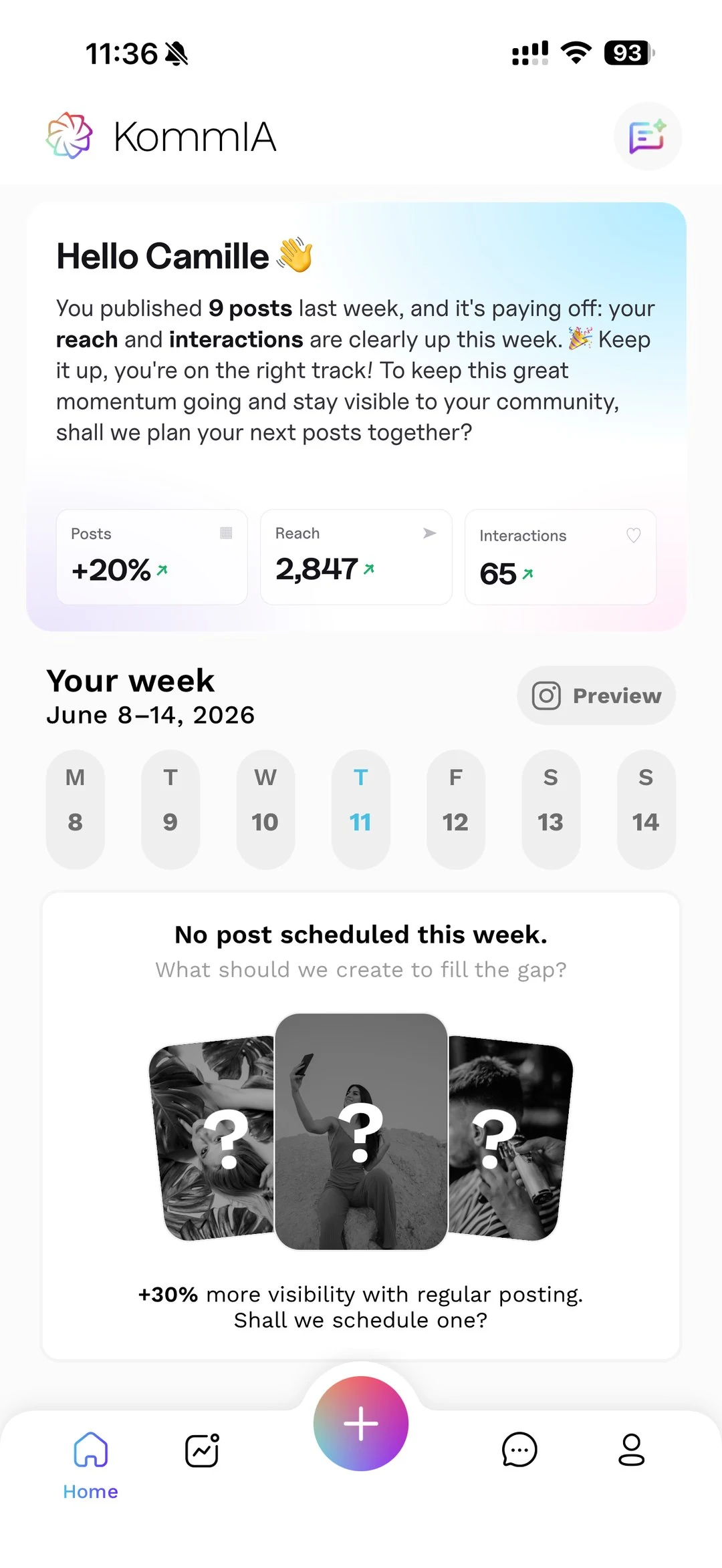
If you use KommIA to manage your Instagram, photo retouching is built directly into the app. With one tap ("Improve my photo"), the AI corrects light, sharpness, colours and composition. You can also describe the retouching you want in your own words, for example "make the background brighter" or "remove the background", and a before-and-after view lets you keep the version you prefer. You are the one who triggers it, you are the one who approves it, it is your content. Your photos stay yours, just as your videos do. KommIA handles the retouching, the caption, the hashtags (between 3 and 5) and the scheduling. The 20 percent that is your personal touch, that is what the AI cannot do for you: the angle you choose, the detail you highlight, the work you put on show.
Want to see what the full feature set looks like? Check out all of KommIA's features, or take a look at the pricing page to see what it costs.