
Hello. If you have been posting single images and wondering why the numbers stay flat, here is your answer: carousels are the format that keeps Instagram audiences pausing, swiping, and saving in 2026. According to Socialinsider's figures for the second quarter of 2026, carousels hit a 0.50% average engagement rate, ahead of Reels (0.48%) and well above static images (0.33%). They also get nine times more saves than a single photo, according to Metricool (June 2026), and saves count for Instagram's algorithm too. So if you are a freelancer, artisan or small business owner without hours to spend on content, getting a handful of solid carousel templates ready will change your results faster than almost anything else.
Why the Algorithm Loves Carousels Right Now
Adam Mosseri, Instagram's head, said it again in September 2026: Instagram looks at watch time, likes, and DM shares, always measured per person reached. And to reach people who do not follow you yet, a post sent by DM weighs more than a like, according to Adam Mosseri (May 2026). Carousels naturally drive all three. A viewer who swipes through every slide spends far more time with your post than someone who glances at a photo. And a well-made carousel with a practical checklist or clear advice is exactly the kind of content people forward to a colleague or a friend.
There is also a “second chance” mechanic worth knowing. If your first slide does not hook someone right away, the second one can still hold their attention, so give it as much care as the cover. A single image never gets that second opportunity.
The Technical Basics Before You Start
Keep every slide at 1080 x 1350 pixels (4:5 ratio). This is the recommended format, and it is critical that every slide in the carousel matches. If slide one is 4:5 and slide three is square, Instagram will crop automatically and the visual flow breaks immediately. Aim for 7 to 10 slides as a default. Below five slides, the post feels thin. Above ten without a good reason, swipe fatigue sets in, though detailed educational content can go up to twelve. Instagram allows up to 20 slides, but more is not necessarily better. One clear idea per slide. That is the rule.
Every high-performing carousel follows the same three-part structure: the first slide captures attention with a specific promise, the middle slides deliver the value, and the last slide drives an action (a question, a save prompt, a link in bio). On slide one, use a visual element or arrow that “bleeds” slightly off the right edge to signal that there is more content to swipe through. It makes people want to swipe on.
8 Templates You Can Reuse Immediately
1. The Step-by-Step Process
Slide 1: “Here is exactly how I [achieve result] in [X] steps.” Slides 2 to 8: one numbered step each, short sentence plus a visual. Last slide: “Save this for when you need it.” This works for any skill-based service, from web design to pastry-making.
2. The “Before and After” Contrast
Slide 1: a bold question or relatable problem. Slides 2 to 5: the “before” situation with pain points. Slides 6 to 9: the “after” situation with your solution shown clearly. Last slide: what changed and a gentle invitation to comment or DM. Extremely shareable, so it drives those DM forwards that the algorithm rewards.
3. The Checklist
Slide 1: “The [topic] checklist every [your audience] needs.” Middle slides: one checkbox item per slide, clean and scannable. Last slide: “Which one are you missing? Tell me below.” Checklists are saved constantly because people want to come back to them.
4. The Myth vs. Reality
Slide 1: “Stop believing these [X] myths about [your field].” Alternating slides: Myth (red or bold) then Reality (calm colour). Last slide: the underlying truth that ties them together. This format generates comments because people either agree strongly or push back, and both reactions help distribution.
5. The Client Story (Mini Case Study)
Slide 1: “[Client type] went from [problem] to [result] in [timeframe].” Slides 2 to 7: the situation, the challenge, what you did, the result, a direct quote. Last slide: “Could this be your story? Link in bio.” Concrete, credible, and highly shareable to prospects.
6. The “X Things I Wish I Knew” Personal List
Slide 1: a personal, slightly vulnerable hook. Slides 2 to 9: one lesson per slide written in first person. Last slide: “Which one resonates most?” Personal voice builds trust faster than polished corporate copy, especially for micro-accounts.
7. The Product or Service Showcase
Slide 1: a striking image of the product or service in context. Slides 2 to 5: one feature or benefit per slide, written as an outcome for the customer, not a specification. Slide 6: pricing or next step clearly stated. Last slide: a single clear action. To strengthen the impact, consider mixing one short five-second video clip into the middle of the carousel to hold attention longer, then compare how mixed carousels (images plus short video) do against image-only ones on your account.
8. The FAQ Answered Visually
Slide 1: “The [X] questions I get asked every week (answered).” Middle slides: one question per slide, answer on the next slide or on the same slide in a contrasting block. Last slide: “Got another question? Drop it in the comments.” This positions you as an expert without feeling like a sales pitch.
Fitting Carousels Into Your Weekly Routine
Post your carousels at a pace you can keep up, alongside Reels and Stories: Adam Mosseri (September 2026) advises posting as much as you can without burning out. A practical approach is to pair a Reel and a carousel on the same topic: the Reel brings new eyes in, and the carousel turns that attention into deep engagement and saves.
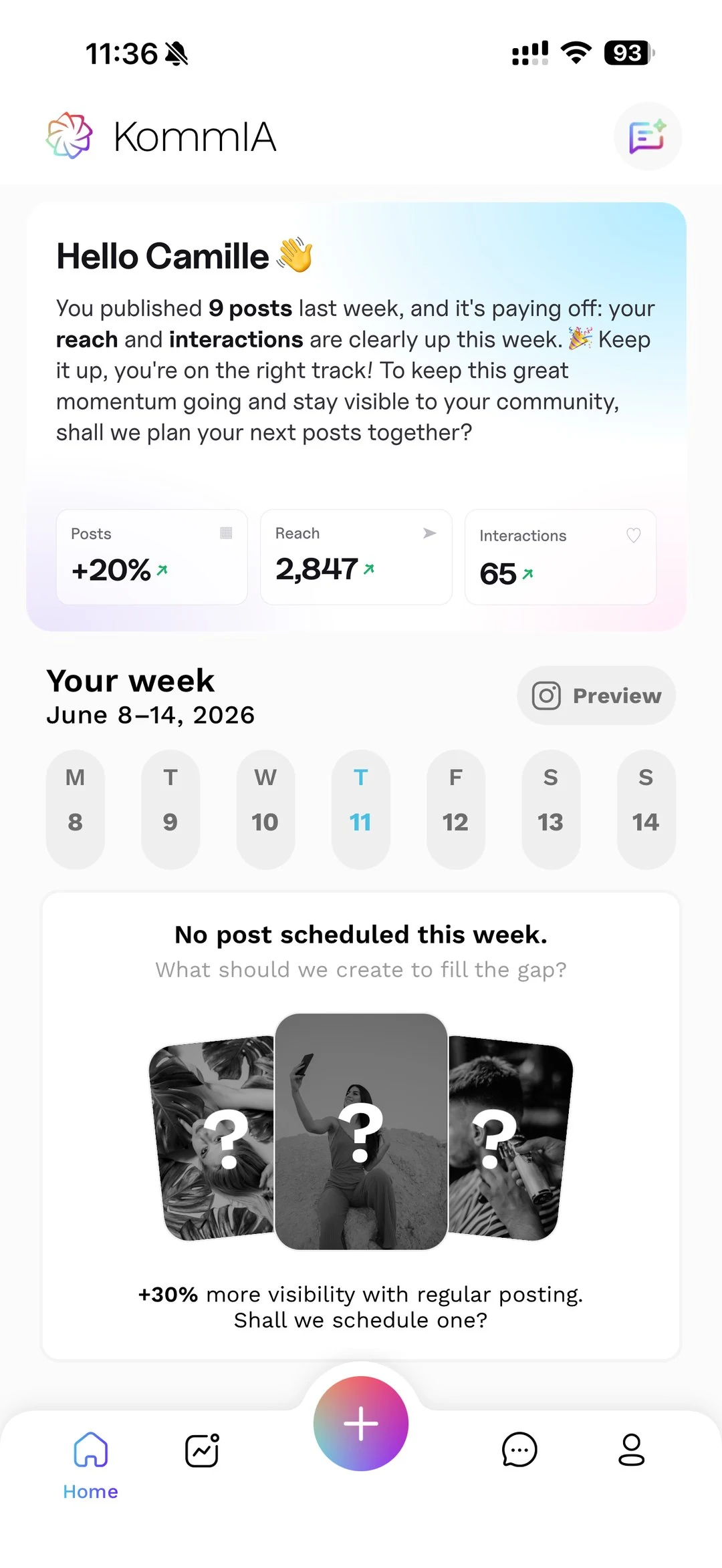
The part that kills consistency for small business owners is the scheduling. Knowing when to post, remembering to do it, adapting to your audience's active hours. That is exactly what KommIA helps with, suggesting three time slots based on your account's activity and publishing your carousels at the one you pick, without you having to watch a clock. You take the photos, KommIA prepares the carousel idea, the caption and the hashtags, and publishes at the time you pick. If you want to see how that fits your budget, the pricing page breaks it down clearly.
Original content also matters more than ever. Instagram now puts the original ahead of reposts in its recommendations, so putting your own voice and experience into these templates is not optional. Use the templates as a structure, then fill them with your real knowledge, your real clients, your real results. That combination of good format and genuine content is what keeps people swiping all the way to the last slide.